
ESP32-TUX Bambu Lab Monitor: A Touchscreen Dashboard for Your 3D Printer Farm

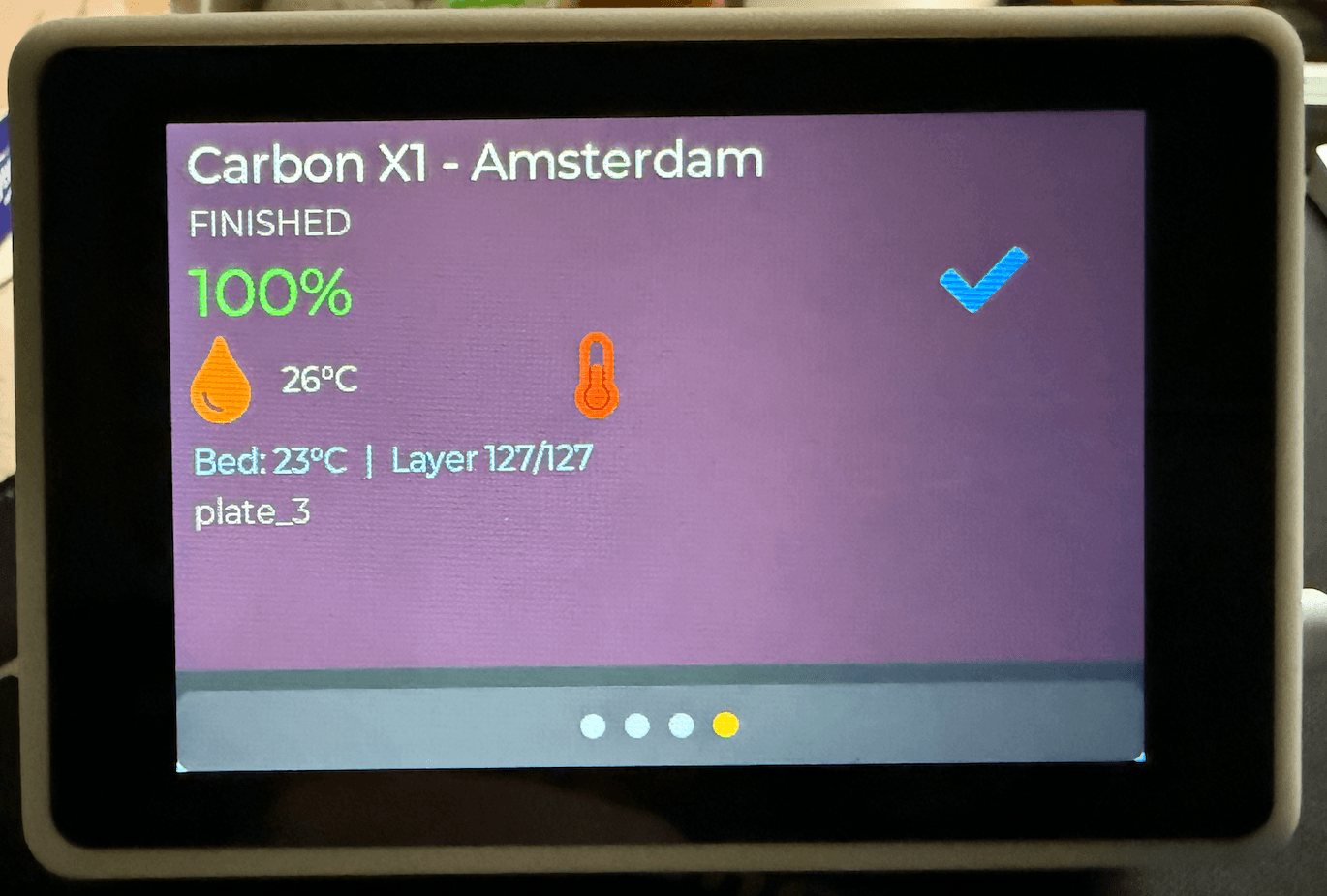
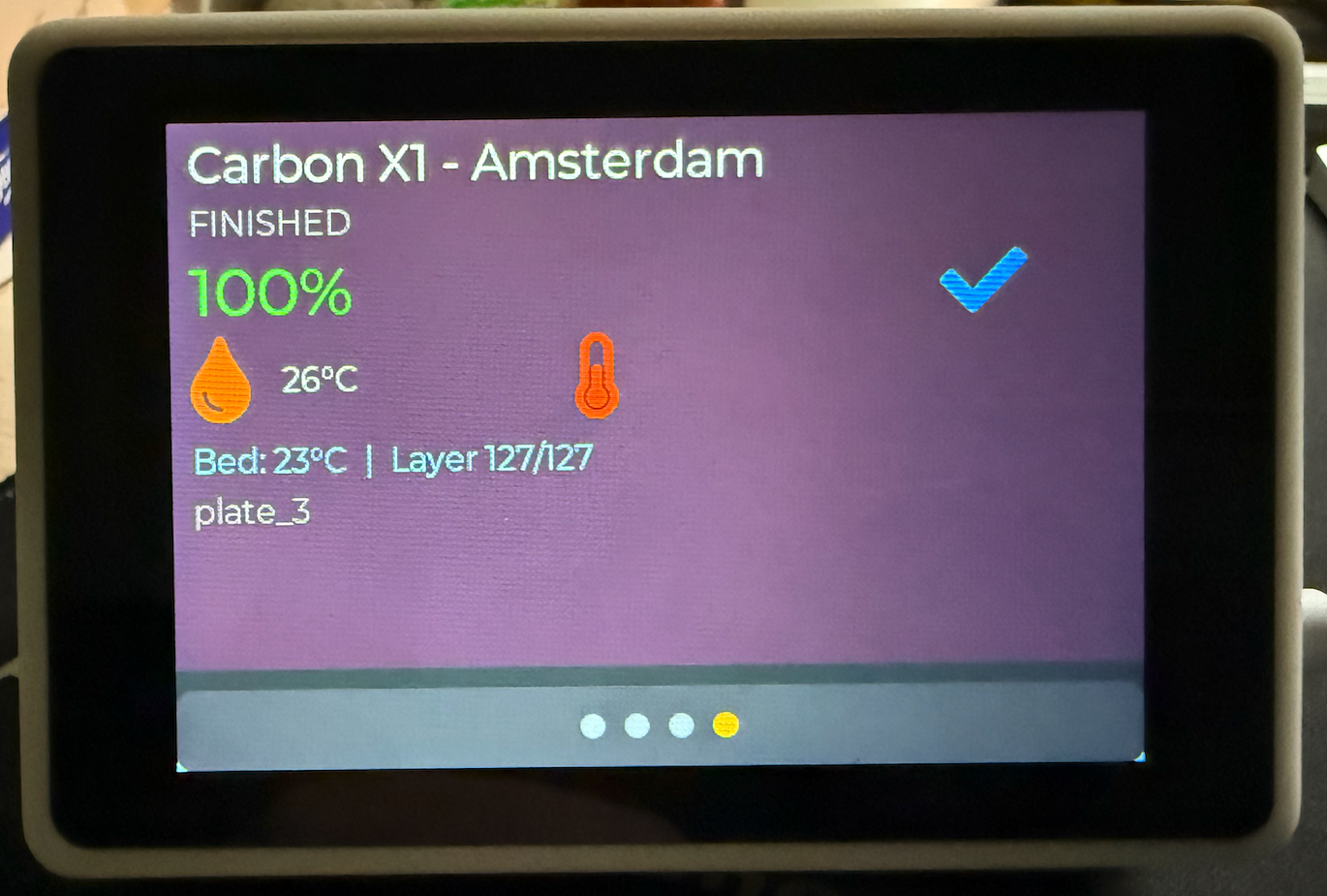
If you own more than one 3D printer, you know the drill: jumping between different software screens, checking webcam feeds, or walking back and forth to your workspace just to see if a print is finished or if a layer shifted.
What if you could have a dedicated, beautiful, tactile physical screen right next to your desk or mounted on your wall that monitors all of your printers simultaneously in real-time?
Meet the ESP32-TUX Bambu Lab Monitor—a community-driven, open-source touchscreen dashboard designed explicitly to keep tabs on your Bambu Lab printer fleet.
 Click the image above to view the repository directly on GitHub.
Why I Built This
This project was born out of a simple need: a reliable, responsive, physical display to monitor multiple machines without cluttering a computer screen. Powered by the ultra-capable ESP32-S3 microcontroller and the gorgeous LVGL 8.x graphics library, it turns an affordable 3.5" display (like the recommended WT32-SC01 Plus) into an indispensable workshop companion.
Inside the Feature Sheet ⚡
The monitor is packed with robust, maker-centric features that make it much more than a simple telemetry screen:
- 📱 Multi-Printer Carousel: Swipe cleanly through up to 6 different printers. Perfect for monitoring a small farm!
- ⏱️ Real-Time MQTT Telemetry: Get live temperatures (nozzle/bed), print percentages, remaining times, and current status updates directly from your printers.
- 🔍 Auto-Discovery: No tedious IP manual entries. The monitor automatically scans and finds Bambu Lab printers on your local network.
- ⛅ Weather & Utility Widgets: Includes an integrated OpenWeatherMap widget, so when you aren't checking prints, it serves as a beautiful desktop clock and weather display.
- 📶 No Hardcoded WiFi Credentials: Easily provision the device's internet connection via a captive portal hotspot (
PROV_XXXXXX) on your phone or using Espressif's BLE Provisioning app. - 🔄 Seamless OTA Updates: Wireless over-the-air firmware updates straight from GitHub releases ensure your dashboard is always running the latest and greatest features.
🖨️ A 3D Printable Enclosure to Match
What's a 3D printing project without a custom printed enclosure? You can download a sleek, modular desk-stand case directly on MakerWorld. It's tailored perfectly for the WT32-SC01 Plus display, hiding all wires and giving it a professional commercial-product finish.
How to Get Started in 5 Minutes
Setting up your monitor is incredibly straightforward:
- Flash: Plug your device into your computer over USB-C, open Chrome/Edge, and use the web-based installer at mybesttools.github.io/ESP32-TUX-BAMBULAB to flash the firmware with a single click.
- Provision: Power it on, connect to the local hotspot on your phone, and input your WiFi details.
- Scan: Go to Settings → Printers, hit Scan, select your printer, and input your printer's Access Code.
- Monitor: You're fully live!
Open-Source & Community Driven
The best part of this project is its community-centric DNA. It is fully open-source (MIT License) and built on top of brilliant libraries like LovyanGFX and LVGL. Whether you want to add support for other printer brands (Prusa, Creality, Klipper), build a custom Home Assistant dashboard, or design new UI themes, the code is ready for you.
- Star the repository on GitHub: mybesttools/ESP32-TUX-BAMBULAB
- Download the printable case: MakerWorld Model #2102801
💬 Join the Conversation!
Have questions, suggestions, or just want to show off your custom setup or enclosure print? You can comment directly on my blog pages! I've integrated a direct commenting section so we can chat right on the article, share ideas, and help each other troubleshoot or customize our boards. I read and reply to every single post.
Let me know what you think in the comments below!